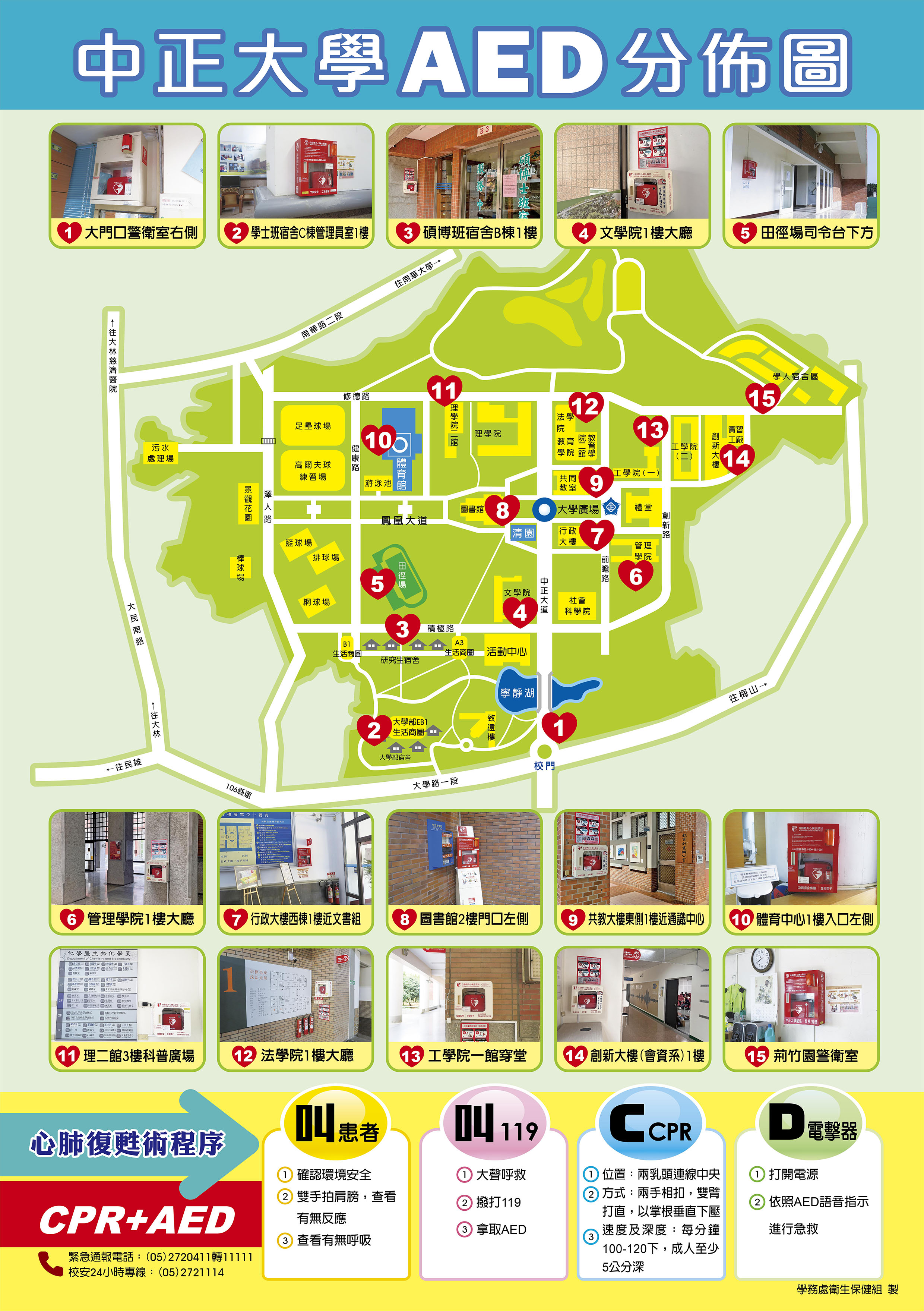
CCU AED Locations
|
CCU AED Locations
|
 |
How to Use an AED
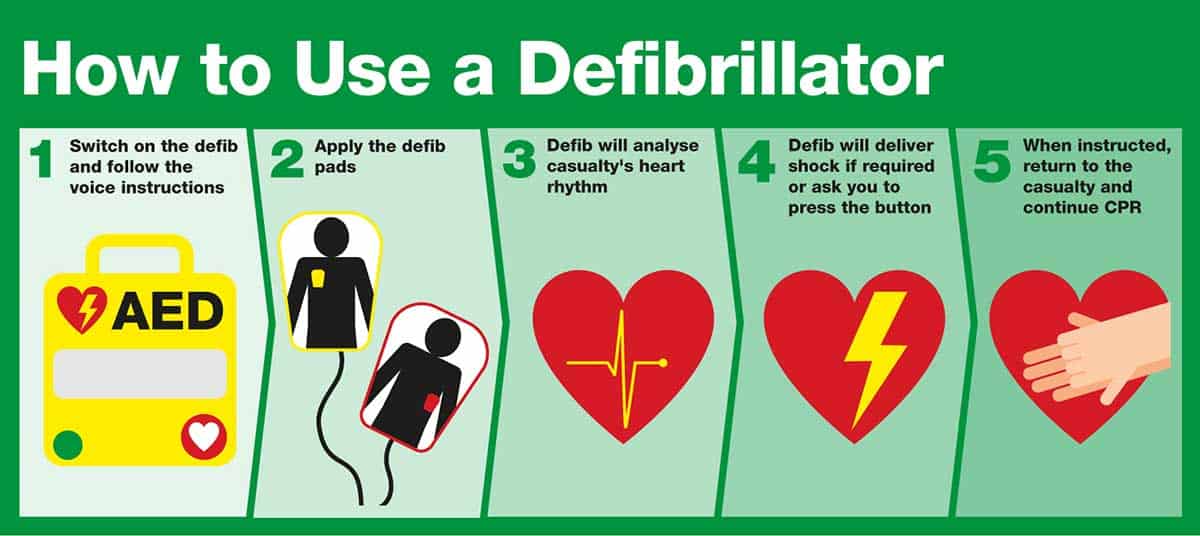
AEDs are designed for ease of use, even by those without medical experience. Here’s a step-by-step overview:
-
Turn on the AED – Follow the voice prompts. The AED may turn on automatically when you open the lid.
-
Remove any clothing that covers the chest
- Remove the backing from two sticky pads with sensors (also called electrodes).
-
Attach the electrode pads – Upper right chest and lower left chest.
-
Analyze the heart rhythm – The device automatically determines if a shock is needed.
-
Deliver a shock if prompted – Modern AEDs will not shock unnecessarily.
-
Resume CPR – Continue chest compressions as instructed.
-
You notice obvious signs of life, like a pulse and breathing.
-
The AED voice commands tell you to check the heart rhythm again.
-
Another bystander is available to take over CPR compressions.
-
Emergency services arrive and take over CPR.
-
You are alone and too exhausted to continue.
-
The area becomes unsafe.
 :+886 5 2720411 ex12345
 :
: :No.168, Sec. 1, University Rd., Minhsiung Township, Chiayi County 621301, Taiwan (R.O.C.)